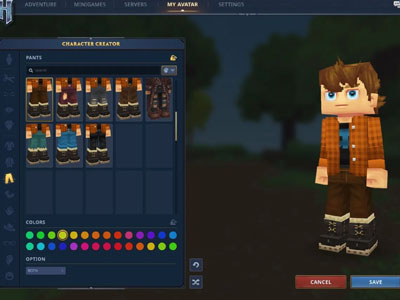


Welcome to our in-depth Hytale Guide, designed to help you build the perfect setup for this ambitious game. Hytale presents unique technical demands, and understanding its engine is key to unlocking a seamless adventure. This expanded overview breaks down every critical component, from processor choice to future platform support, ensuring your system is ready.
Analysis confirms that Hytale is a CPU-bound game, prioritizing processor power due to complex world simulation, procedural generation, and AI. Here’s what this means for you:
Upgrade Advice: If you’re on a budget, prioritize a CPU with high clock speed and multiple cores (like Intel i5/i7 or AMD Ryzen 5/7 series), paired with ample RAM, before investing in a top-tier GPU.
The official requirements highlight CPU and RAM as pillars of performance. Here are our recommendations for a tailored experience:
Beyond raw specs, thermal management and adequate power supply are often overlooked but essential for sustained performance.
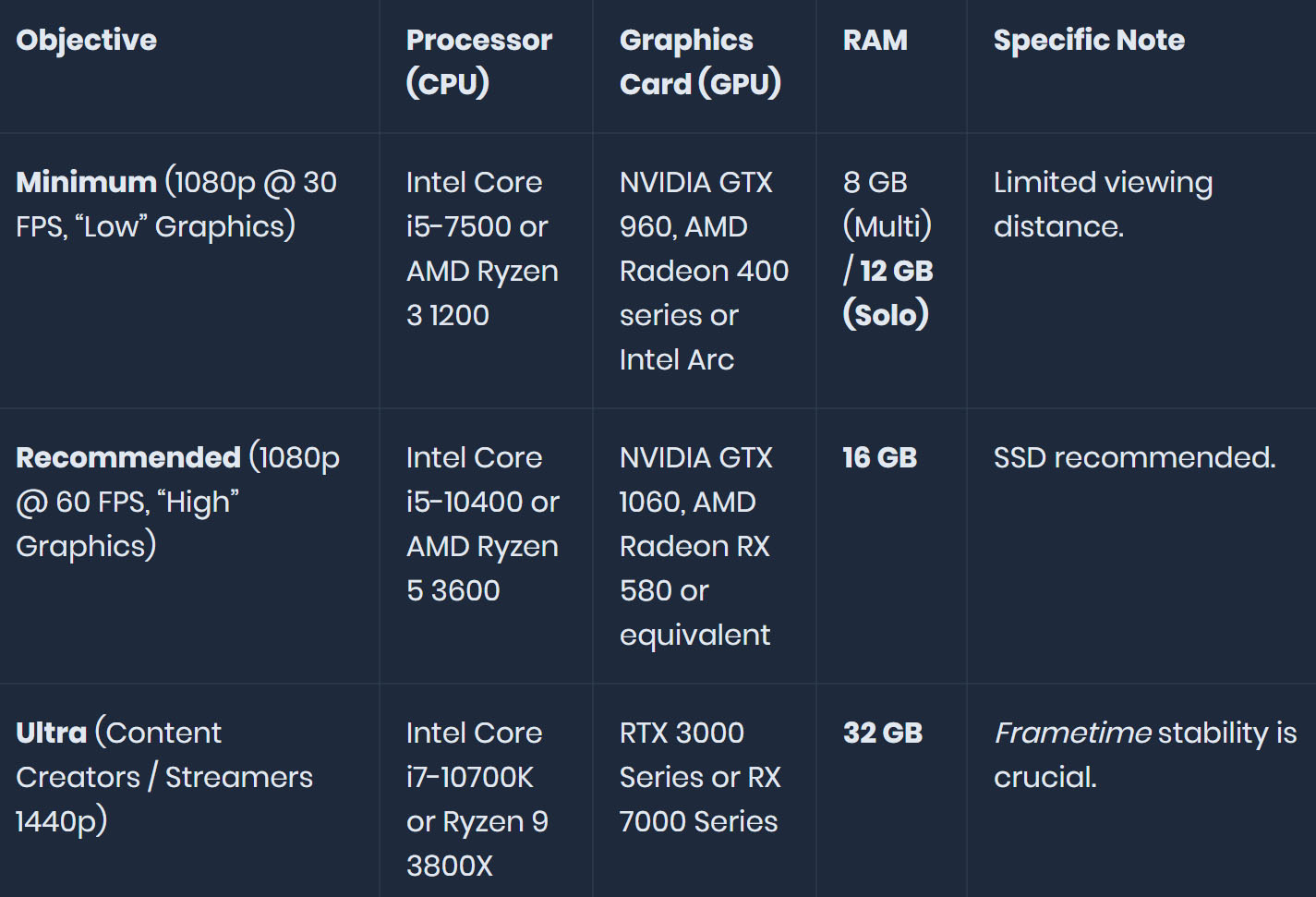
A critical insight is the impact of view distance (chunk loading). The developers’ rule is simple: doubling the distance quadruples your PC’s workload.
Pushing this setting too high can overwhelm your GPU’s VRAM due to Hytale’s detailed texture atlases. We suggest gradually increasing view distance while monitoring frame rates.
Hytale’s evolving world demands thoughtful storage and connectivity planning:
While launching on Windows, Hytale’s roadmap includes broader support. We are tracking these developments:
Final Tips: Regularly update drivers, close background applications, and adjust in-game settings incrementally. Bookmark this Hytale Guide for ongoing updates as we approach launch, ensuring your journey in Orbis is nothing short of spectacular.